The No Result Page appears if no product matches the user input. This case can only occur when the matrix is used as a recommendation logic.
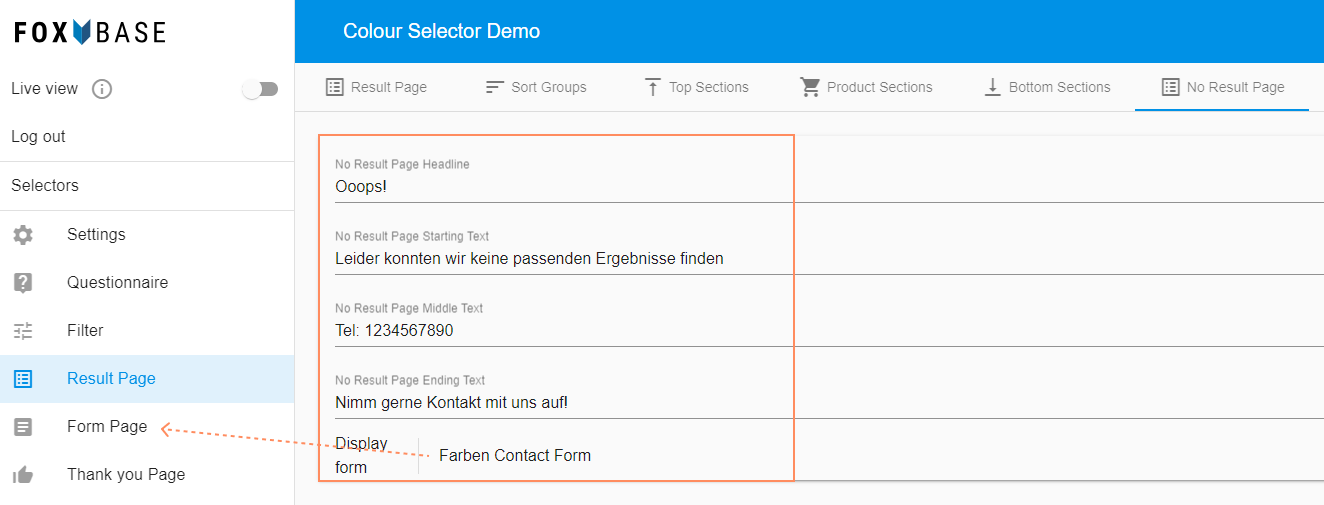
In the workbench, open Result Page > No Result Page.
Enter a page title under No Result Page Headline.
Enter information on contact options in the other fields.
Select a contact form under Display Form. The platform then displays the form between the No Result Page Middle Text and No Result Page Ending Text fields.
💡To use Display Form, there must be at least one contact form available in Form Page.
Workbench:
Result Page:
.png "no-result-page-ex2(1).png")